

How Long Does the Toner of a Multifunction Copier Last? A Complete Business Guide
For any modern workplace, a high-performing office printer or heavy-duty a3 printer is the backbone of daily administrative workflows. However, when budgeting for fleet management or looking to buy office copier online, hardware cost is only one piece of the puzzle. The true economic driver of your documentation setup is ongoing consumable management—specifically, your laser printer toner cartridges.
A frequent question asked by procurement officers and IT managers alike is: How long does the toner of a multifunction copier actually last? The answer varies based on hardware specifications, print volume, and page architecture. This guide breaks down the science behind toner lifespans, details how to calculate your operational costs, and explains how to optimize your office infrastructure for maximum yield.
Understanding Toner Cartridge Page Yield
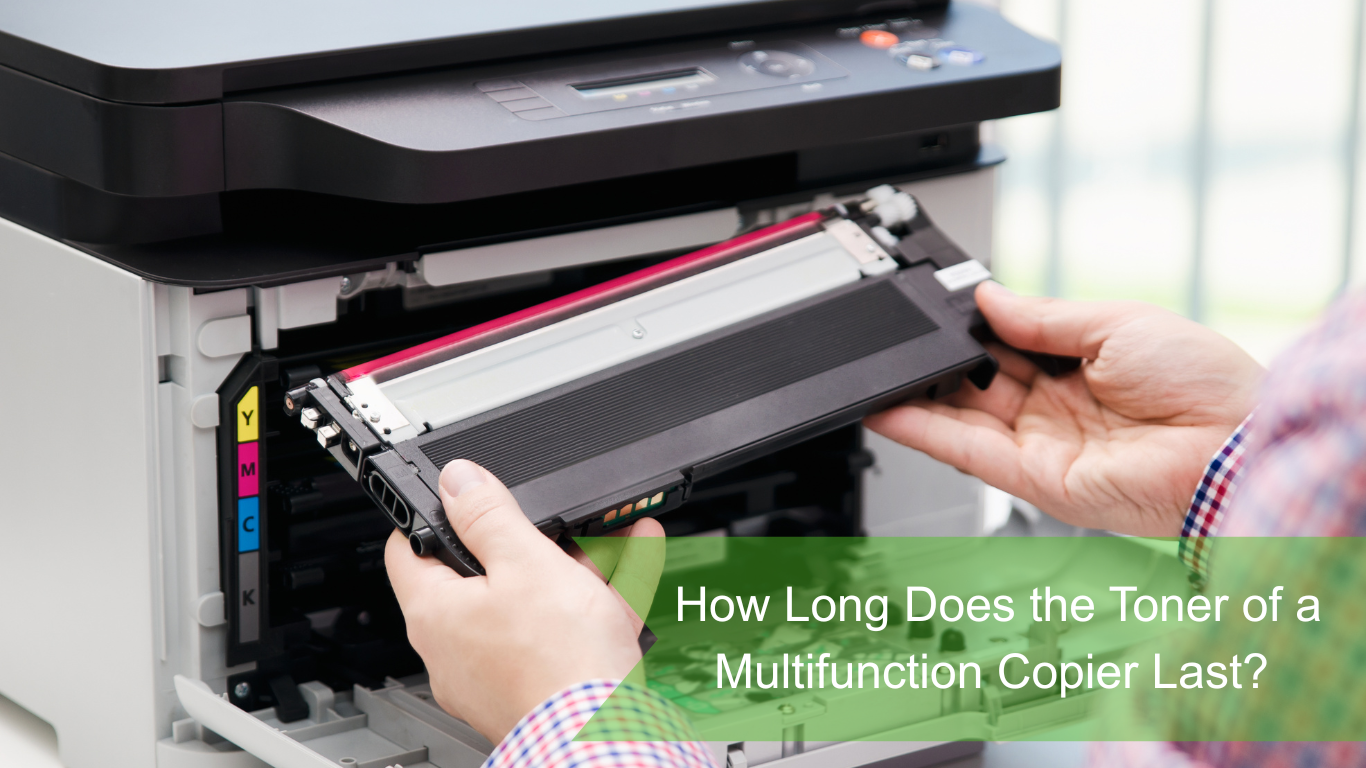
Unlike consumer inkjets, commercial multifunction copiers use powder-based toner designed for high-speed, high-volume production. Manufacturers measure toner lifespan using a metric known as Page Yield—the total estimated number of pages a cartridge can print before running dry.
When shopping for wholesale printer supplies on an e-commerce platform, you will routinely see two categories of cartridge capacity:
- Standard Yield Cartridges: Typically engineered for mid-sized desktop units, offering between 3,000 to 10,000 pages.
- High-Yield (or High-Capacity) Cartridges: Designed for an industrial a3 printer or floor-standing enterprise copiers, these tanks routinely yield between 25,000 and 55,000 pages for black toner, and 15,000 to 30,000 pages for color setups (Cyan, Magenta, Yellow).
The Industry Standard: The 5% Coverage Rule
It is crucial to understand that manufacturer page yield estimates are based on an industry-wide standard established by the International Organization for Standardization: ISO/IEC 19752 (for monochrome) and ISO/IEC 19798 (for color).
These standards dictate that page yield is calculated based on 5% page coverage. This means that only 5% of the total surface area of an A4 sheet contains toner. A typical 5% coverage page equates to a short business letter with approximately four to five paragraphs of text, a basic header, and no graphics or heavy formatting.
The Reality of Document Coverage: If your office regularly prints contracts with dense fine print, legal briefs, accounting spreadsheets, or promotional booklets, your actual coverage per page will easily reach 10% to 20%. If you run a creative agency or real estate firm printing full-page color presentations on an a3 printer, page coverage can soar to 50% or higher, cutting the estimated yield significantly.
How to Calculate Your Copier Cost Per Page (CPP)
To calculate exactly how long a cartridge will last under your specific workplace demands, you can utilize a straightforward mathematical formula. First, determine your operational page yield adjusted for your actual average page coverage percentage:
Once you have your adjusted yield, calculating the copier cost per page is simple. Divide the purchase price of your replacement cartridge by the expected real-world page output:
Cost Per Page (CPP) = (Cartridge Price) / (Adjusted Yield)
Quick Yield vs. Cost Breakdown Example:
- Enterprise A3 Black Toner Cartridge: Retails at $120 with a rated yield of 40,000 pages (at 5% coverage). If your actual office documents average a dense 15% coverage, your real-world yield drops to 13,333 pages, giving you a remarkably low CPP of $0.009 (0.9 cents) per page.
- Standard Desktop Office Printer Cartridge: Retails at $65 with a rated yield of 6,000 pages. At that same 15% coverage, your real yield drops to 2,000 pages, boosting your CPP to $0.032 (3.2 cents) per page.
This illustrates why migrating heavy print loads to a centralized A3 device drastically cuts operational waste.
Core Factors That Drain Your Toner Faster
Beyond literal text densities, several environmental and hardware variables affect how long your multifunction copier toner lasts:
- Frequent Short Print Jobs: Every time an office printer wakes up from sleep mode to execute a single-page print job, it completes a calibration and initialization cycle. This internal process spins the drums and prepares the developer unit, which consumes a small amount of toner without ever laying it on paper. Batching your print jobs drastically extends cartridge longevity.
- Font and Style Selections: Heavy, bold typefaces (like Arial Black or Impact) consume significantly more powder than efficient, slender business fonts such as Calibri, Arial, or Century Gothic.
- Environmental Factors: Fluctuations in office humidity and ambient temperatures alter the electrostatic properties of toner powder. This can cause the copier to automatically apply a thicker layer of toner to achieve the desired contrast level, speeding up consumption.
How to Maximize Your Office Copier’s Toner Lifespan
If your enterprise is experiencing a rapid burn rate on consumables, implementing a few strategic adjustments can dramatically improve efficiency and save thousands in annual operating expenses:
- Enforce “Draft Mode” Globally: For internal documentation, emails, and preliminary drafts, configure your default print driver settings to “Draft Mode” or “Toner Saver Mode.” This decreases the resolution and density of the toner laid down on the page, extending your cartridge life by up to 30% without sacrificing readability.
- Consolidate via Managed Print Services: For large organizations, managing a fragmented fleet of desktop printers is highly inefficient. Transitioning primary workloads to a centralized, high-efficiency floor-standing a3 printer managed under a professional infrastructure agreement scales your print economics significantly down. Utilizing premium, verified premium toner replacements engineered exactly for your hardware ensures parts longevity and prevents premature cartridge failures.
Conclusion: Partnering with the Right Supplier
How long your copier toner lasts ultimately boils down to matching the proper hardware to your organizational volume. Balancing high-yield laser printer toner cartridges with optimized internal print policies keeps your overhead low and your machine uptime high.
Are you looking to optimize your business workflow or stock up on commercial-grade consumables? Browse our comprehensive catalog to buy office copier online configurations, source genuine wholesale printer supplies, or find the perfect enterprise office printer tailored precisely to your company’s monthly duty cycle.